
Today I’m pleased to announce the v1 release of the Ansight CLI. 🎉
It connects your coding agent to a running iOS or Android app and records connected development and test sessions locally, so you can see what the agent did and how the app responded. The CLI, local host, and player are free to use without an account or credit card.
With Ansight, you can:
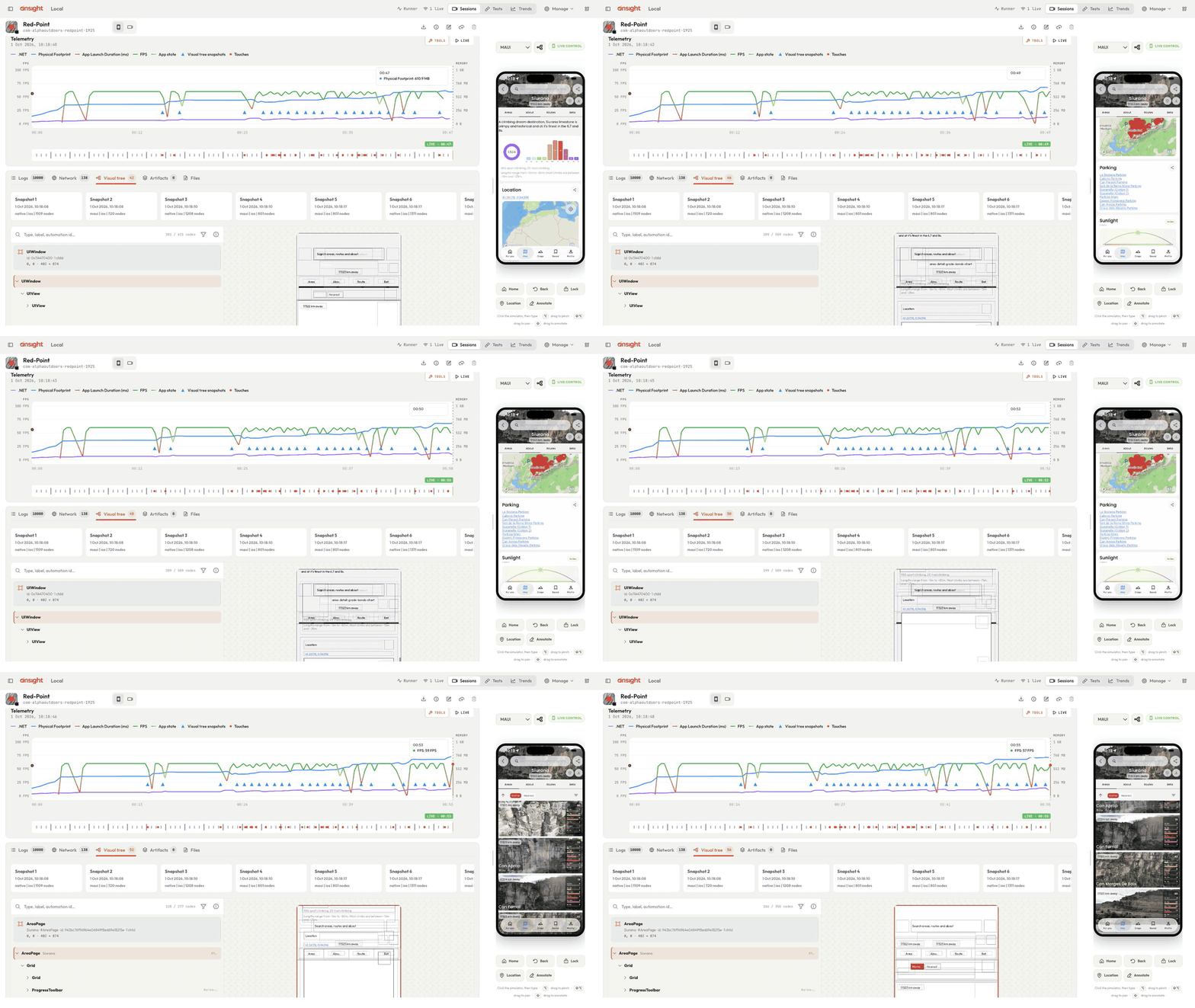
- Capture. Keep the available screens, touches, UI trees, logs, network activity, telemetry, and custom app data from a connected session. What is captured depends on the platform and SDK setup, but the evidence stays together instead of being scattered across screenshots and console output.
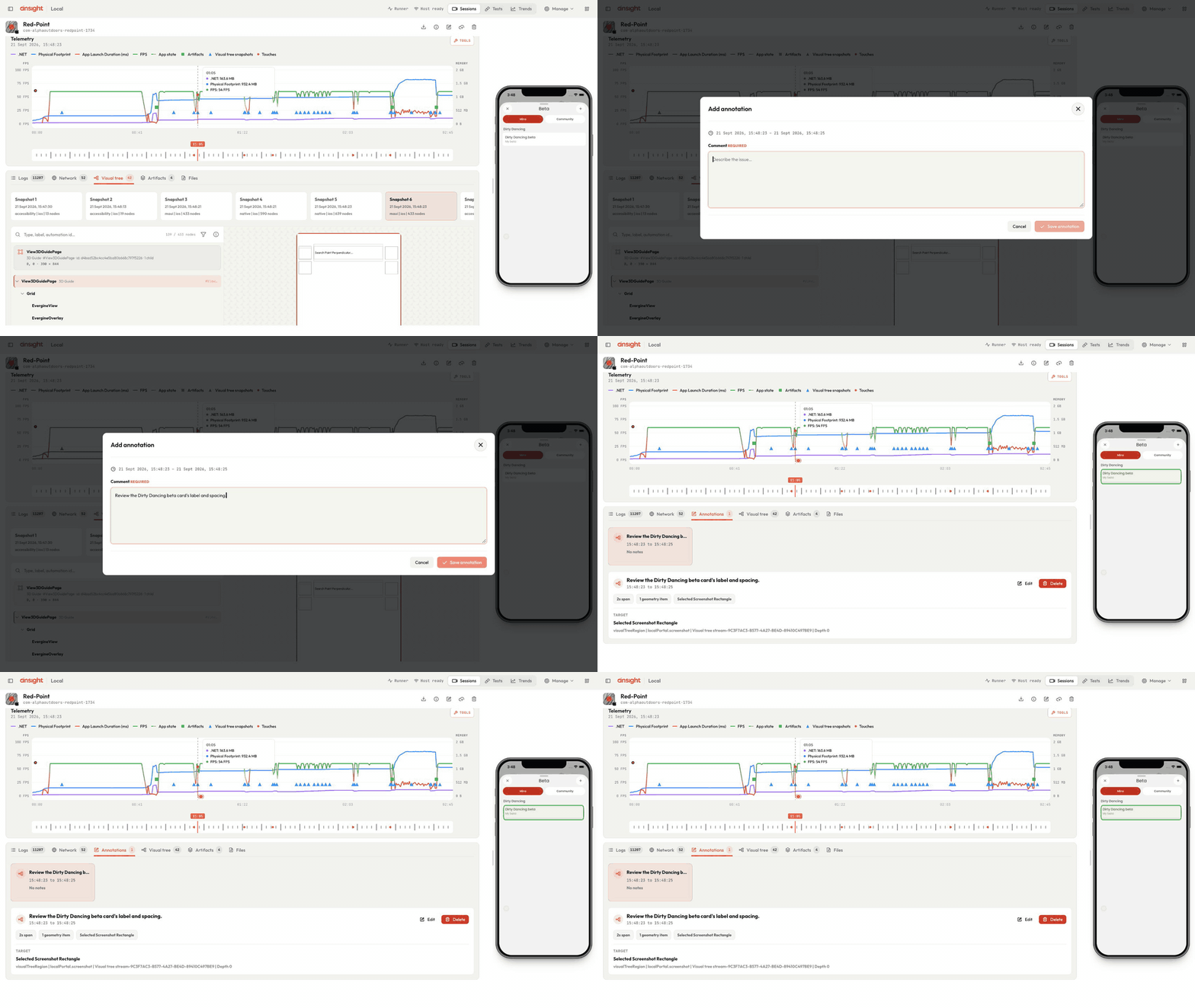
- Replay and review. Move through the session in the local player to see the path that led to a problem, then mark the relevant time or area of the screen with an annotation. You can export the capture as a ZIP or share it through Ansight Cloud when someone else needs to investigate it.
- Test with your agent. Let Codex, Claude, Cursor, or another coding agent inspect and drive the app through the CLI. After a change, ask it to repeat the journey and check the result; the retained session is proof of work you can review, rather than a bare claim that the fix works.
Connect your app
Use the Ansight SDK in a trusted development or QA build. It adds app-side evidence such as recorded touches, visual trees, app logs, and telemetry, while optional network capture and guarded tools can provide more context.
Through its WebSocket connection to the local host, the SDK also gives the agent a guarded bridge into the app’s sandbox, where enabled tools can inspect app-owned state or expose your own diagnostics that external monitoring cannot see. Keep the SDK and remote tools behind your development-build guard.
Open your app repository in your coding agent and use the install skill, which selects the SDK guide for your app and verifies a connected development build.
Copyable prompt:
Use https://www.ansight.ai/skills/ansight-install.md to set up Ansight in this project and verify a connected development build.Ansight supports these app stacks:
 .NET / .NET MAUI
 iOS · SwiftUI / UIKit
 Android · Jetpack Compose / Views
 React Native
 Expo development builds
 Flutter
 Cordova / Capacitor / Ionic
You can start without an SDK by monitoring an installed app on an iOS simulator or Android emulator. The capture-mode guide explains what evidence each approach provides.
Local capture, replay, annotation, agent interaction, ZIP export, and local tasks are free, with the CLI and harness source available under PolyForm Shield 1.0.0. Cloud sharing, build uploads, and our agentic test runner require sign-in and a paid plan.
Install the free CLI and follow the getting-started guide to connect your app. Then ask your agent to show you the run behind “done.”