Session Capture
Capture live sessions from paired devices and preserve logs, screenshots, touch input, telemetry, visual trees, annotations, state, and artifacts.
Session capture is Ansight Studio’s record of what happened while a paired app was running. A capture can come from a simulator, emulator, physical device, or desktop target that has connected through the Ansight SDK.
Explore the Capture View
Click or focus a highlighted region to see what that part of Ansight Studio captures or preserves for later review.
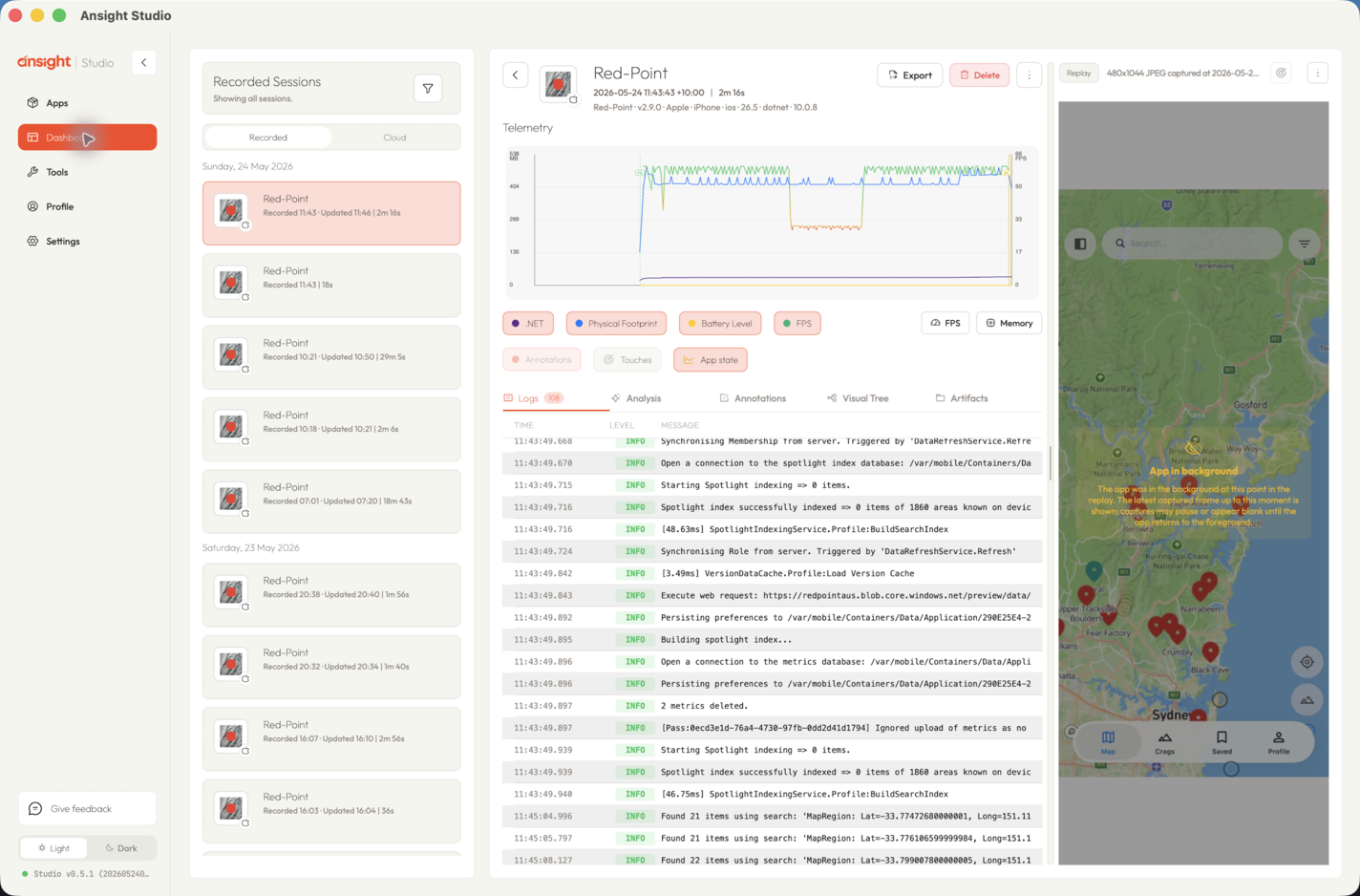
Session capture components
Captured Evidence
A session can contain:
- app and device metadata
- lifecycle state
- logs and log priorities
- telemetry channels and samples
- screenshots and session images
- visual tree snapshots
- touch input and inferred gestures
- annotations and review metadata
- artifact snapshots and captured files
- saved analyses and flow charts
The exact evidence depends on which SDK packages and runtime options are enabled in the app.
Live Intake
When a paired app connects, Ansight Studio receives session data over the local session bridge and stores it on the developer machine. Ansight Studio does not use a cloud relay for normal local capture.
For best results, reproduce the problem while Ansight Studio is running and the app is connected. The dashboard will show the active session, then keep it available as a historical capture after the app disconnects.
Snapshot-Oriented Workflows
Some investigations need a narrow capture around a point in time. Ansight Studio keeps screenshots, visual trees, telemetry, touches, logs, and annotations aligned by timestamp so a later reviewer can jump directly to the relevant moment.
Related Agent Tools
Agents usually start capture review with the Session Inspection MCP tools, then use evidence, log, telemetry, or touch tools for deeper analysis.