Session Replay and Review
Reconstruct captured app behavior with Ansight Studio timelines, logs, screenshots, visual trees, touch input, lifecycle state, artifacts, and saved analyses.
Ansight Studio session review is built around reconstruction. The goal is to show what happened, in order, with enough evidence to explain a bug without relying on memory or guesswork.
Explore the Session Player
Click or focus a highlighted region to see what that part of Ansight Studio contributes to replay and review.
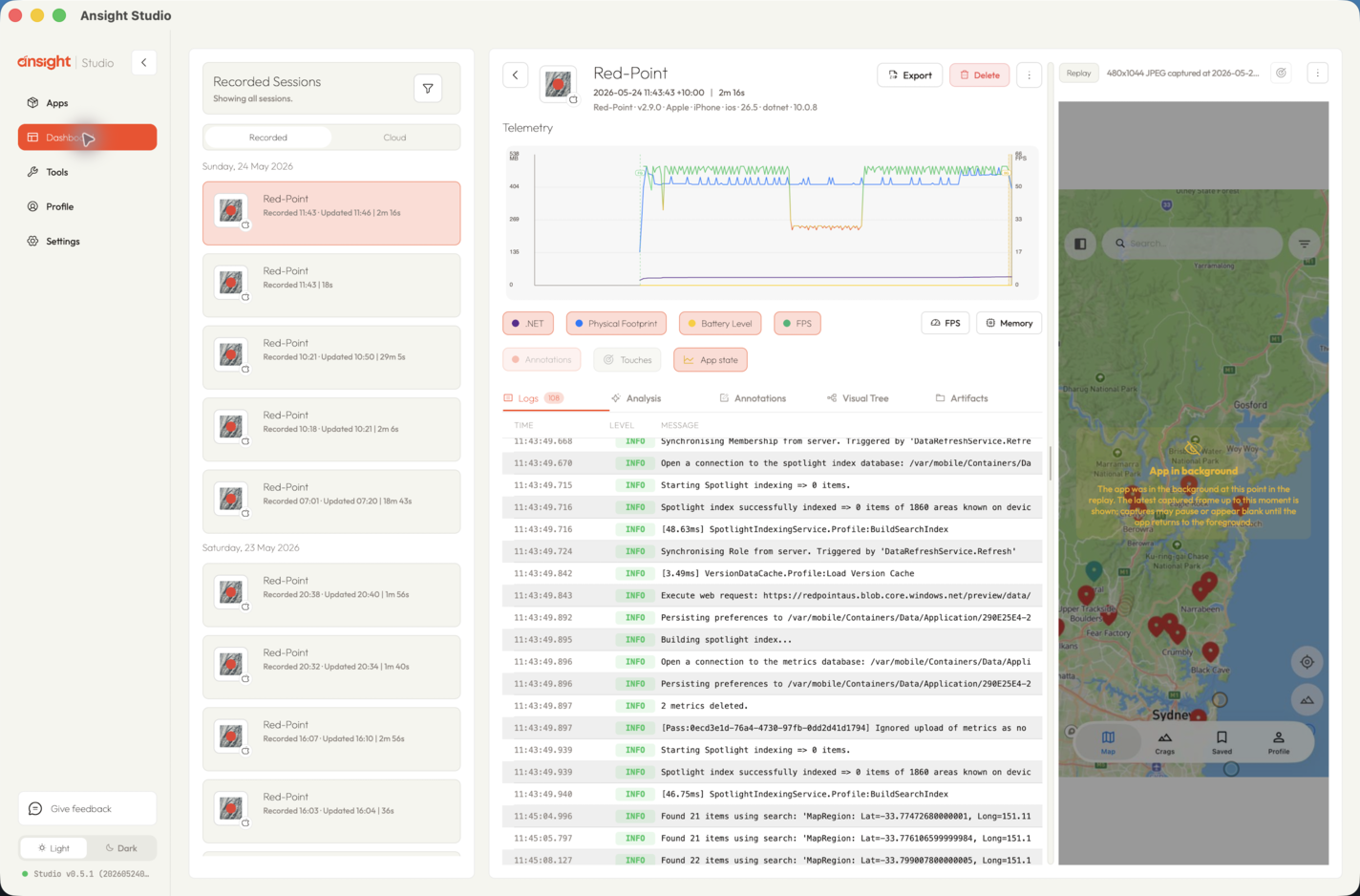
Session player regions
Timeline Review
The session timeline brings together:
- logs
- screenshots
- visual tree snapshots
- touch events and inferred gestures
- telemetry samples
- lifecycle changes
- annotations
- artifact snapshots
Use the timeline when the order of events matters, such as when a tap happens before a navigation change, a warning appears before a crash, or memory climbs during a flow.
Screenshots and Visual Trees
Screenshots show what the user saw. Visual tree snapshots provide the structured UI state Ansight Studio captured near the same moment.
Together, they help reviewers answer questions such as:
- What screen was visible?
- Which control was present?
- Was the expected element enabled, visible, or positioned correctly?
- Which UI element was closest to a tap?
Logs and Artifacts
Logs explain what the app reported. Artifact snapshots and captured files preserve extra runtime evidence such as app-generated files, debug payloads, or sandbox contents when the SDK tooling is configured to provide them.
Related Agent Tools
Agents use the Evidence and Artifacts MCP tools, Log Review MCP tools, and Touch Review MCP tools to reconstruct a session through Ansight Studio.